🖼️ How to Edit a Photo with Google Gemini
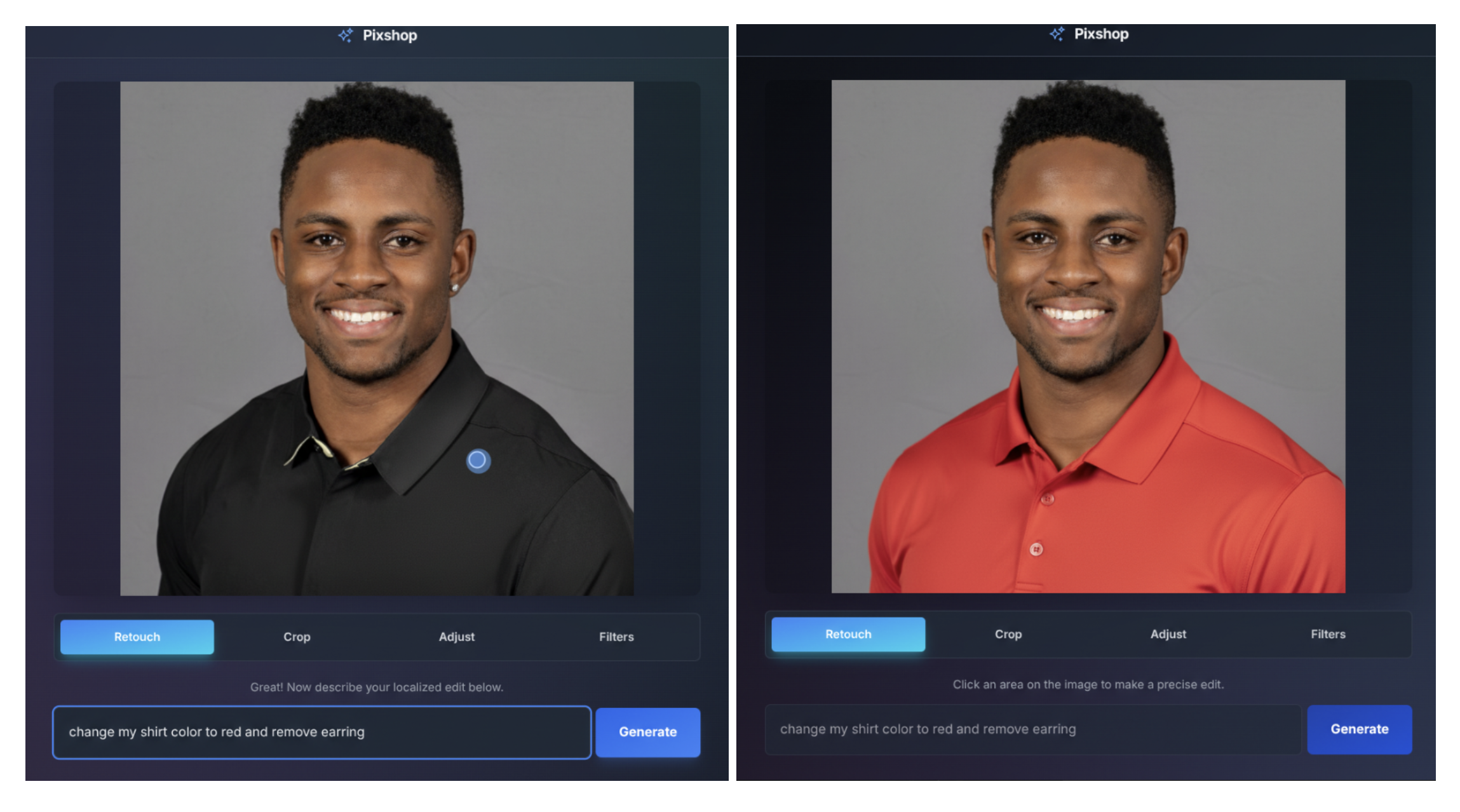
How to Edit a Photo with Google Gemini , Editing images with Google Gemini is a fast and intuitive way to enhance photos using simple text instructions. Instead of manually adjusting sliders like in traditional software, Gemini allows you to describe the changes you want. The AI interprets your request and applies intelligent edits in seconds.
📌 Uses of Google Gemini for Photo Editing
Google Gemini can handle a wide range of creative and corrective tasks. You can remove unwanted objects, adjust lighting, enhance colors, sharpen blurry areas, or even change the background entirely. It’s especially useful for social media creators, bloggers, marketers, and students who need quick edits without advanced design skills.
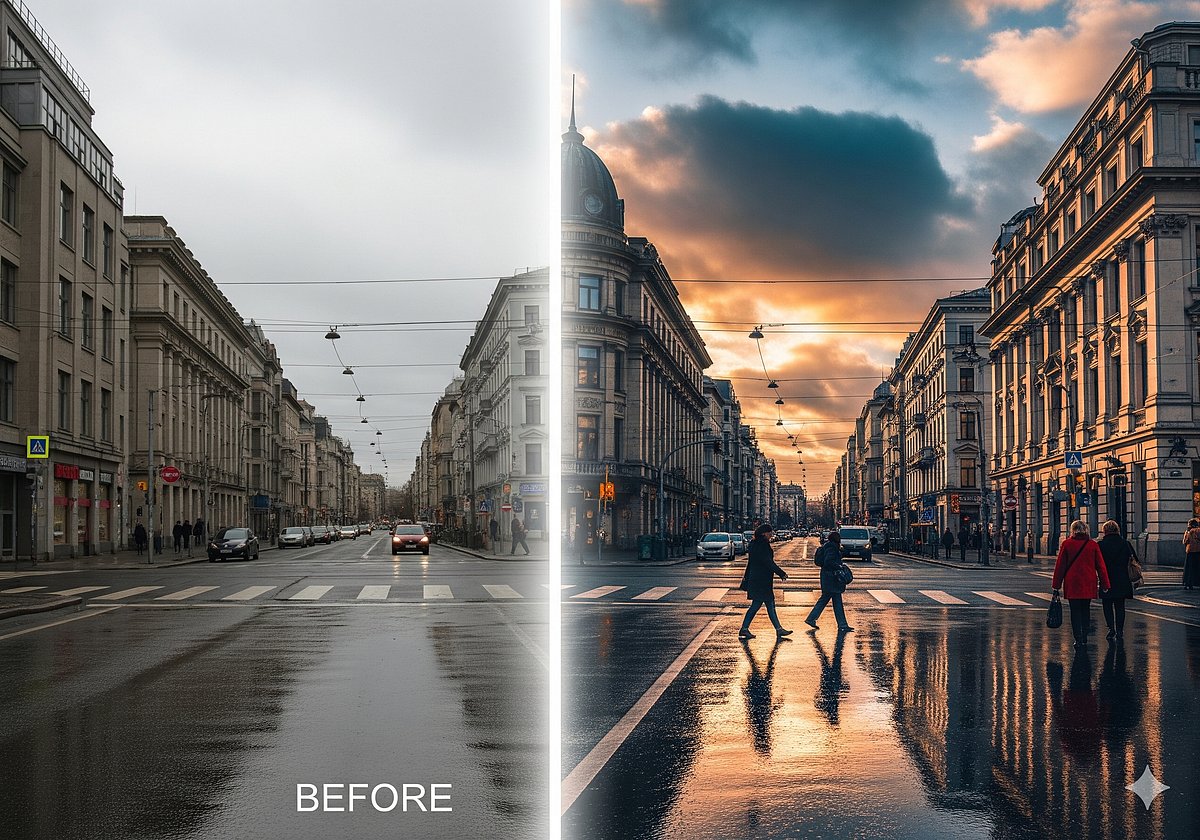
For example, you can upload a photo and type: “Brighten the image and make the sky more vibrant,” or “Remove the person in the background and blur the surroundings.” Gemini processes the request and generates an updated version automatically. It can also help with artistic transformations, such as turning a standard photo into a cinematic, vintage, or illustrated style. How to Edit a Photo with Google Gemini
🎨 Tips for Better Editing Results
Start with clear, specific instructions. Instead of saying “make it better,” try “increase brightness slightly, boost contrast, and warm up the color tone.” Detailed prompts produce more accurate outcomes.
Make edits step by step. Apply one change at a time—such as lighting adjustments first, then background modifications. This gives you more control over the final look.
Use descriptive keywords like “soft natural light,” “golden hour glow,” or “professional portrait style.” These phrases guide the AI toward a more polished result.
Always review the edited image closely. If something looks unnatural, refine your prompt with clearer guidance.
With thoughtful commands and creative experimentation, Google Gemini becomes a powerful, user-friendly tool for professional-quality photo editing.
1️⃣ Open the Gemini App (or Google Photos with Gemini)
- Download Gemini app (by Google) from your app store and sign in with your Google account.
- Or, open Google Photos on Android if the “Help me edit” feature (Gemini‑powered) is available.
2️⃣ Upload Your Photo
- Tap the + / Upload button.
- Choose a photo from your device that you want to edit.
3️⃣ Start Editing
In Gemini app (native image editing):
- After uploading, tell Gemini what you want to change in simple language.
➤ Example prompts:- “Remove the background”
- “Change hair colour to blonde”
- “Put me on a beach”
- Gemini will process your request and show you edited results.
In Google Photos (“Help me edit”):
- Open your photo.
- Tap Edit or Help me edit.
- You’ll see suggested edits (e.g., “focus more on subject”).
- If suggestions don’t fit, type or speak a prompt like
“remove cars in background” or “restore old photo”. - Gemini will apply the edit for you.
4️⃣ Refine Your Edit
- If the first result isn’t perfect, you can add follow‑up prompts.
e.g., “make colours more vibrant” or “add soft light”. - This multi‑turn editing lets you refine results step by step.
5️⃣ Save Your Edited Photo
- Once you’re happy with the result, choose Save / Download.
- The photo will be saved to your device library or Google Photos.
💡 Tips for Better Results
✅ Be clear and specific in your prompts.
❌ Vague: “Make it look better”
✔️ Better: “Brighten face, smooth skin, remove dust in bg”
✅ Use follow‑up prompts to tweak details.
✅ If Gemini sometimes can’t edit (it may be rolling out gradually by region or device), try the “Help me edit” option in Google Photos as an alternative.
📌 What You Can Ask Gemini to Do
✔️ Remove objects/backgrounds
✔️ Change outfits or settings
✔️ Blend photos together
✔️ Apply styles or transfer textures
HERE SOME PROMPTS :
1️⃣ Cinematic / Film Style
- “Convert this photo into a cinematic movie scene, teal and orange color grade, dramatic lighting, shallow depth of field”
- “Make this video clip look like a 1980s action movie, with film grain, lens flare, and slow-motion effect”
- “Cinematic night cityscape, neon lights reflecting on wet streets, ultra-detailed, 4K”
2️⃣ Fantasy / Sci-Fi
- “Transform this portrait into a futuristic cyberpunk character, glowing neon tattoos, city skyline background, cinematic lighting”
- “Make this landscape look like an alien planet, purple skies, floating rocks, hyper-detailed, surreal style”
- “Create a fantasy warrior in golden armor, epic cinematic pose, dynamic lighting”
3️⃣ AI Portrait Enhancements
- “Enhance face to ultra-realistic style, smooth skin, subtle natural makeup, soft lighting, high resolution”
- “Transform selfie into Pixar-style animated character, vibrant colors, expressive eyes”
- “Make subject look like a professional magazine cover photo, studio lighting, slight vignette”
4️⃣ Background Editing / Replacement
- “Remove background and replace with soft sunset beach, golden hour lighting”
- “Replace background with futuristic city skyline at night, neon lights, cinematic depth”
- “Blur background to bokeh effect, focus on subject, professional photography style”
5️⃣ Trendy Social Media Styles
- “Make photo Instagram Reels-ready, bright colors, high contrast, trendy cinematic filter”
- “Add motion blur and dynamic lighting to video for TikTok viral style, energetic vibe”
- “Transform image into minimalistic flat design style, bright pastel tones, modern social media aesthetic”
6️⃣ Artistic / Painting Styles
- “Turn photo into a Van Gogh style painting, swirling textures, bright colors, expressive brush strokes”
- “Transform portrait into digital concept art, fantasy character style, highly detailed”
- “Convert landscape photo into watercolor painting, soft color palette, dreamy atmosphere”
7️⃣ Before/After Transformations
- “Show before/after effect of makeup transformation, hyper-realistic style, subtle lighting”
- “Old photo restoration: remove scratches, enhance color, restore original detail, realistic result”
- “Transform casual outfit into futuristic cyber fashion, neon highlights, cinematic lighting”
